Pixel Edge Lab
PIXEL EDGE LAB
Pixel Art Outline & Shadow Studio
Add clean, pixel-perfect outlines and drop shadows to your sprites without opening a full image editor.
Pixel Edge Lab is a lightweight local tool designed for pixel artists, indie developers and game makers who want to quickly improve sprite readability, create consistent outlines, or add sharp directional shadows.
Just import a transparent PNG, adjust the settings, preview the result and export.
━━━━━━━━━━━━━━━━━━━━━━
FEATURES
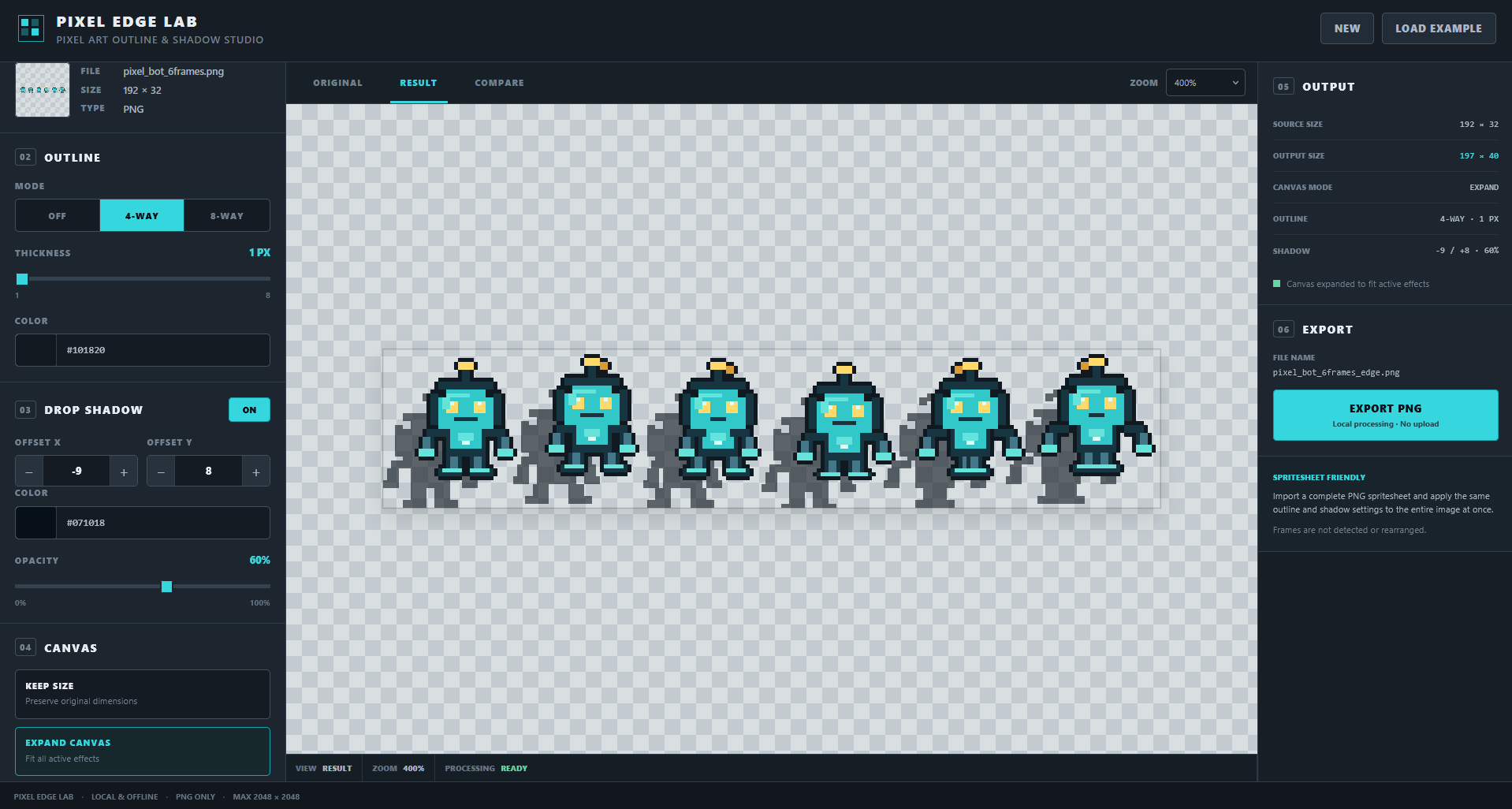
■ PIXEL-PERFECT OUTLINES
Choose between:
• 4-Way outline
• 8-Way outline
• 1–8 px thickness
• Any outline color
No blur.
No anti-aliasing.
No interpolation.
Your original sprite pixels stay untouched.
━━━━━━━━━━━━━━━━━━━━━━
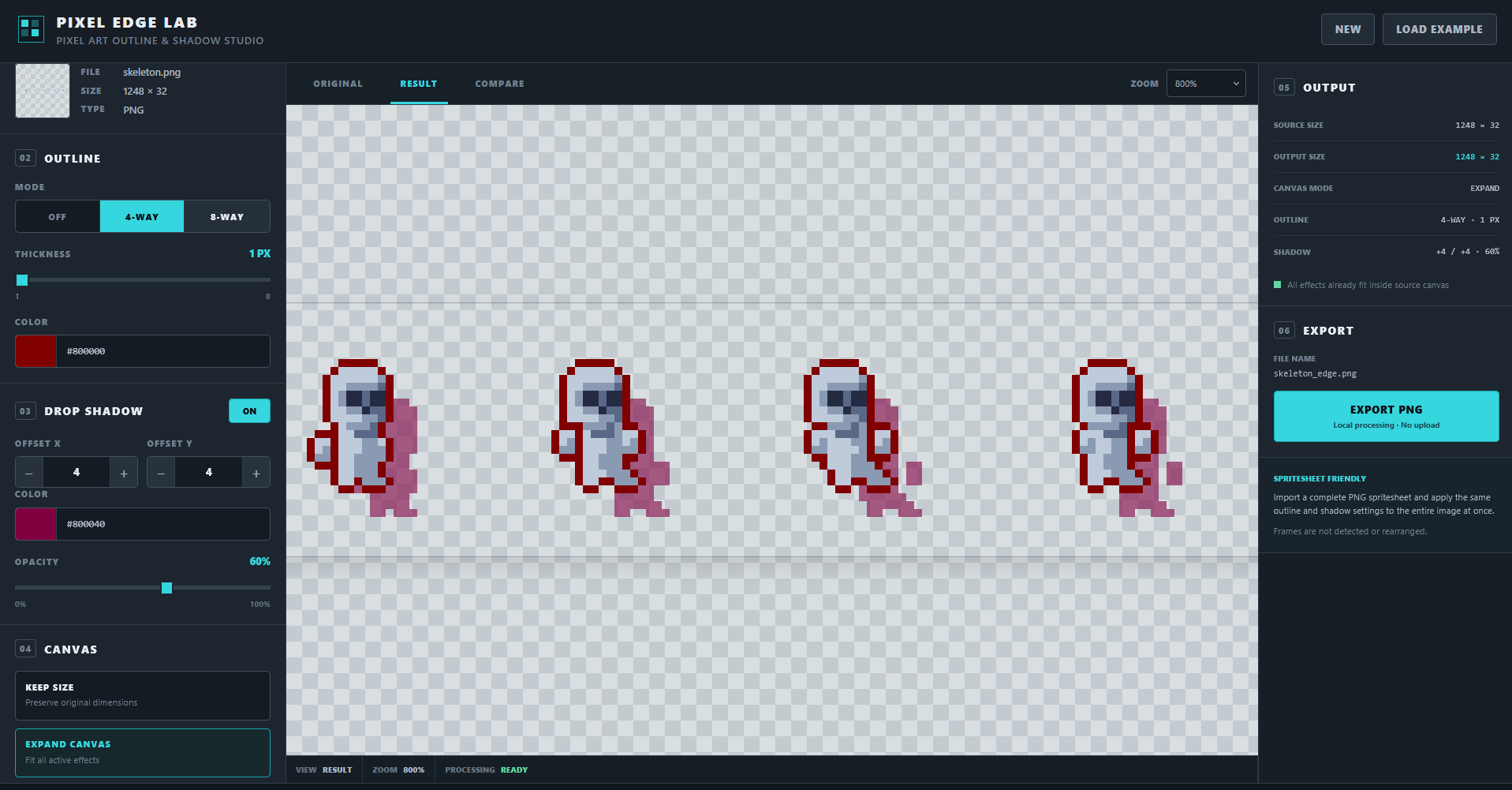
■ SHARP DROP SHADOWS
Add a directional pixel-art shadow with:
• Adjustable X offset
• Adjustable Y offset
• Positive or negative offsets
• Custom color
• 0–100% opacity
• Instant preview
The shadow is generated independently from the outline.
━━━━━━━━━━━━━━━━━━━━━━
■ SPRITESHEET FRIENDLY
Import a complete PNG spritesheet and apply the same settings to the entire image at once.
No need to process every frame individually.
Pixel Edge Lab does not detect, crop or rearrange frames — your original spacing and layout are preserved.
Note: if frames are very close together and you use a thick outline, neighboring outlines may naturally touch.
━━━━━━━━━━━━━━━━━━━━━━
■ KEEP SIZE OR EXPAND CANVAS
KEEP SIZE
Preserves the exact dimensions of the original PNG.
If an outline or shadow goes outside the canvas, Pixel Edge Lab warns you that the effect will be clipped.
EXPAND CANVAS
Automatically adds only the space required to preserve the complete outline and shadow.
Existing transparent margins are kept.
━━━━━━━━━━━━━━━━━━━━━━
■ BUILT FOR FAST ITERATION
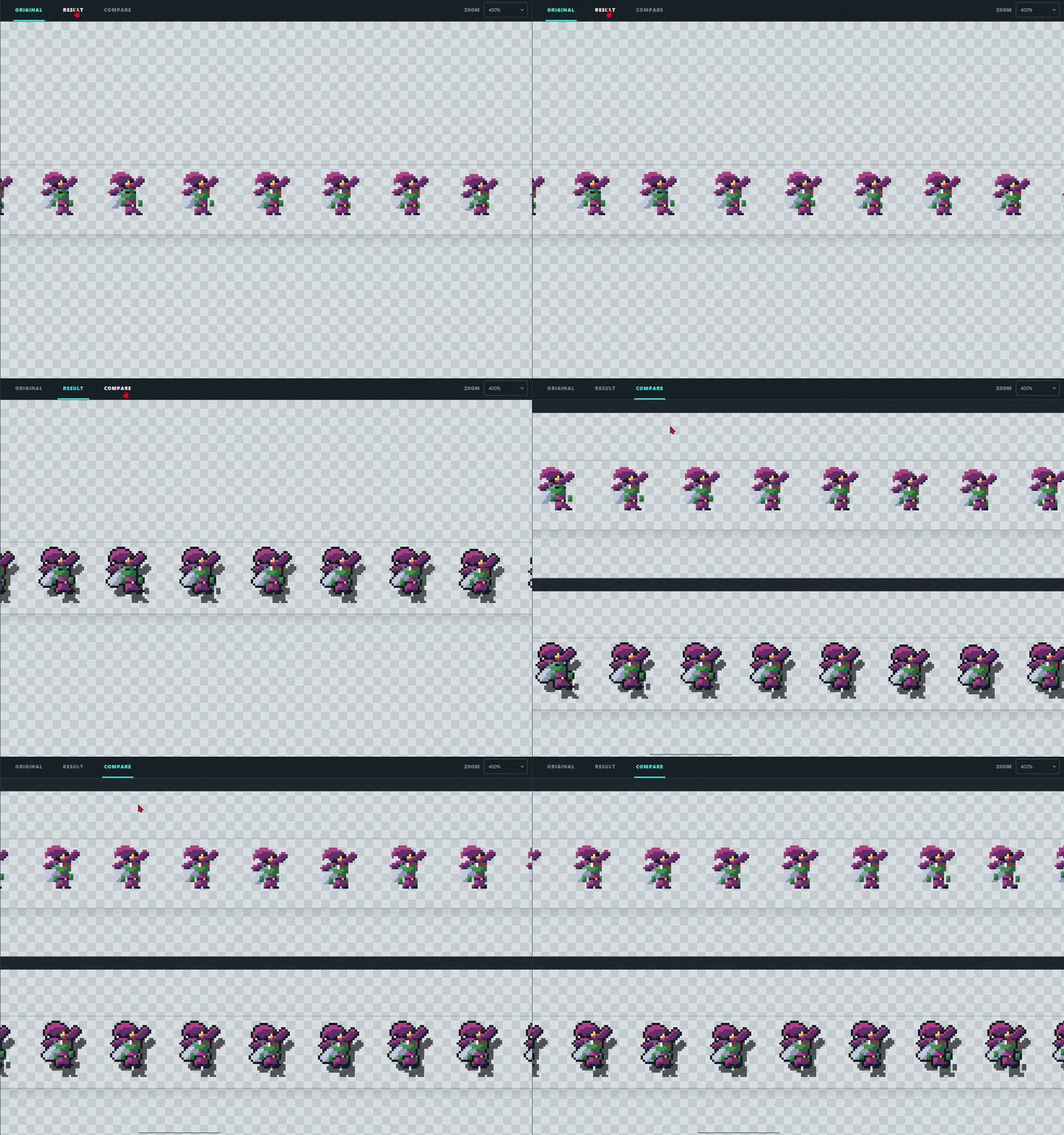
• Original / Result / Compare views
• Pixel-perfect zoom up to 1200%
• Live output dimensions
• Transparent PNG export
• Automatic _edge.png file naming
• Built-in example
• Drag & drop support
━━━━━━━━━━━━━━━━━━━━━━
LOCAL & OFFLINE
Pixel Edge Lab runs entirely in your browser.
No account.
No upload.
No server processing.
No Internet connection required after download.
Your images stay on your computer.
━━━━━━━━━━━━━━━━━━━━━━
SUPPORTED FILES
Input:
• PNG
• Transparent PNG supported
• Maximum source size: 2048 × 2048 px
Output:
• Transparent PNG
━━━━━━━━━━━━━━━━━━━━━━
HOW TO USE
1. Download and unzip Pixel Edge Lab.
2. Open index.html in a modern browser.
3. Drop your PNG into the tool.
4. Adjust outline and shadow settings.
5. Choose Keep Size or Expand Canvas.
6. Export your PNG.
That's it.
━━━━━━━━━━━━━━━━━━━━━━
GOOD FOR
• Character sprites
• Enemy sprites
• Items and icons
• UI graphics
• Game assets
• Animation sheets
• Spritesheets
• Pixel-art prototypes
━━━━━━━━━━━━━━━━━━━━━━
Pixel Edge Lab is intentionally focused on one job:
making pixel-art edges and shadows fast, consistent and easy to control.
Purchase
In order to download this tool you must purchase it at or above the minimum price of $1.99 USD. You will get access to the following files:
Leave a comment
Log in with itch.io to leave a comment.