Pixel Motion Lab
Pixel Motion Lab
Prepare, preview and export pixel-art sprite animations from PNG frames or spritesheets.
Pixel Motion Lab is a lightweight offline tool built for developers and pixel artists who need a simple way to turn existing sprite artwork into clean, game-ready animation files.
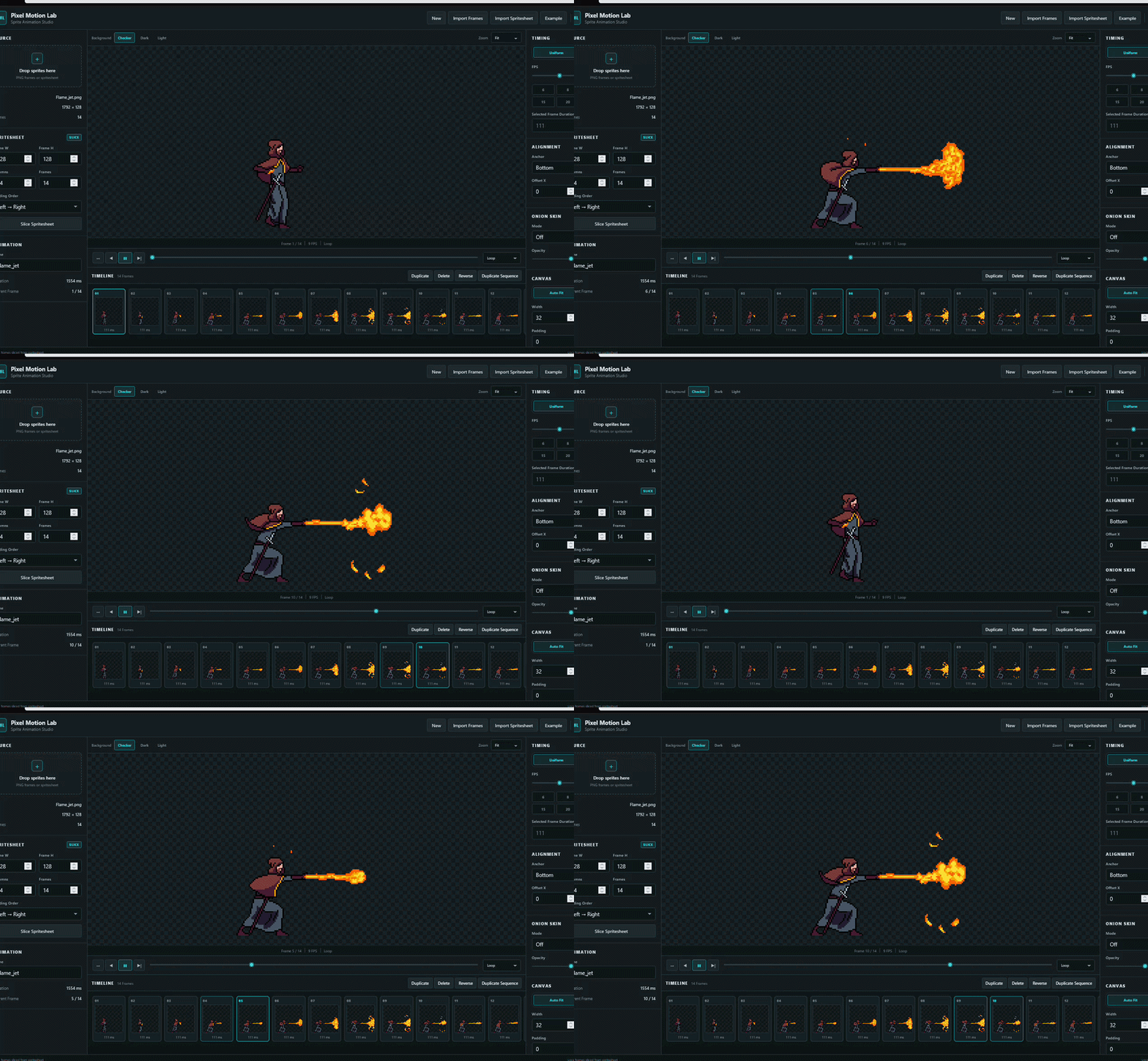
Import individual PNG frames or slice a spritesheet, organize your animation, adjust timing and alignment, preview it with optional Game Feel effects, then export the version you need.
Import & Build
- Import multiple PNG frames
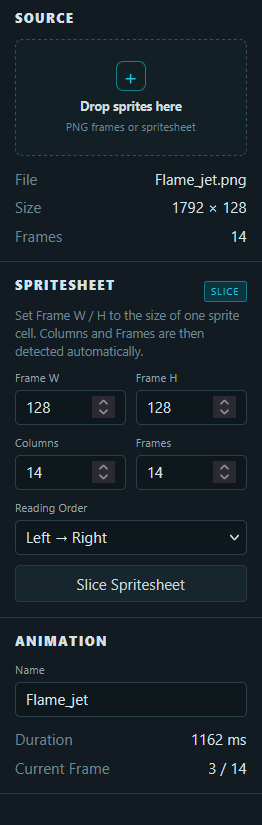
- Import and slice regular PNG spritesheets
- Reorder, duplicate, delete and reverse frames
- Automatic grid detection once Frame W / H are defined
- Support for transparent PNGs and mixed-size frames
Animation Controls
Choose between:
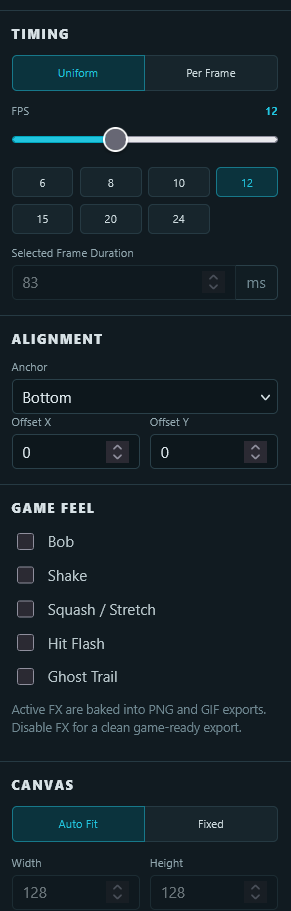
- Uniform FPS
- Per-frame timing
- Loop
- Once
- Ping-Pong playback
You can also adjust:
- frame alignment
- individual X / Y offsets
- canvas size
- padding
- Auto Fit
Game Feel Preview
Add optional effects directly to your animation preview:
- Bob
- Shake
- Squash / Stretch
- Hit Flash
- Ghost Trail
These effects are designed to help you quickly explore how a static sprite animation could feel in motion.
New in V1.1 — Two Export Workflows
You no longer need to disable your preview effects before creating a clean game asset.
Game Ready
Export a single ZIP containing:
- a clean horizontal PNG spritesheet
- matching JSON metadata
Game Feel effects and FX-only margins are automatically ignored during this export.
Your current preview settings remain untouched, so you can keep working with your effects enabled.
Preview GIF
Export an animated GIF with your currently active Game Feel effects baked directly into the animation.
Useful for:
- itch.io pages
- portfolios
- sharing progress
- quick animation previews
GIF export uses a 256-color palette and does not preserve full PNG-style alpha transparency.
Individual Exports
You can still export separately:
- Spritesheet PNG
- PNG Frames ZIP
- JSON Metadata
Local & Offline
Pixel Motion Lab runs entirely in your browser after download.
- No installation
- No account
- No internet connection required
- No sprite uploads
- Your files stay on your computer
Simply extract the ZIP and open index.html in a modern desktop browser.
Current Scope
Pixel Motion Lab is a focused sprite-animation workflow tool.
This is V1.1, and the tool can continue to evolve from real-world feedback.
If something slows down your workflow or there is a feature you would genuinely use, let me know in the comments.
Purchase
In order to download this tool you must purchase it at or above the minimum price of $1.99 USD. You will get access to the following files:
Comments
Log in with itch.io to leave a comment.
Thanks for the thoughtful suggestion, you identified a real friction in the V1 workflow.
I’ve just updated Pixel Motion Lab to V1.1 with exactly this separation:
So you can now keep your preview effects enabled and produce both versions without toggling anything back and forth.
Thanks again for taking the time to study the workflow and share the idea — it directly helped improve the tool.