PIXELIZE LAB
Turn images into usable pixel art
PIXELIZE LAB is a lightweight image-to-pixel-art tool designed for game developers, pixel artists and creators who want to quickly turn PNG images into clean pixel-art bases.
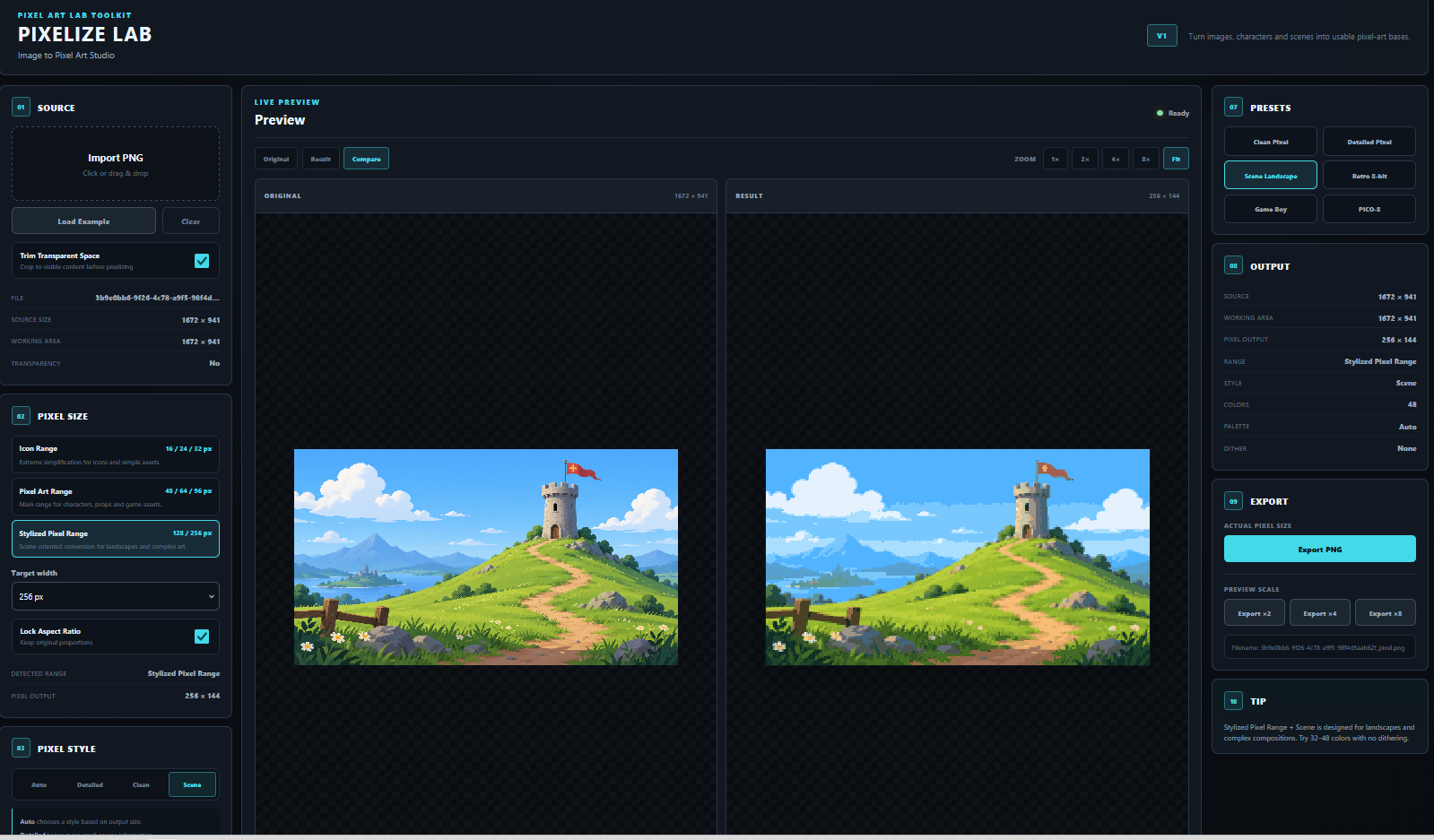
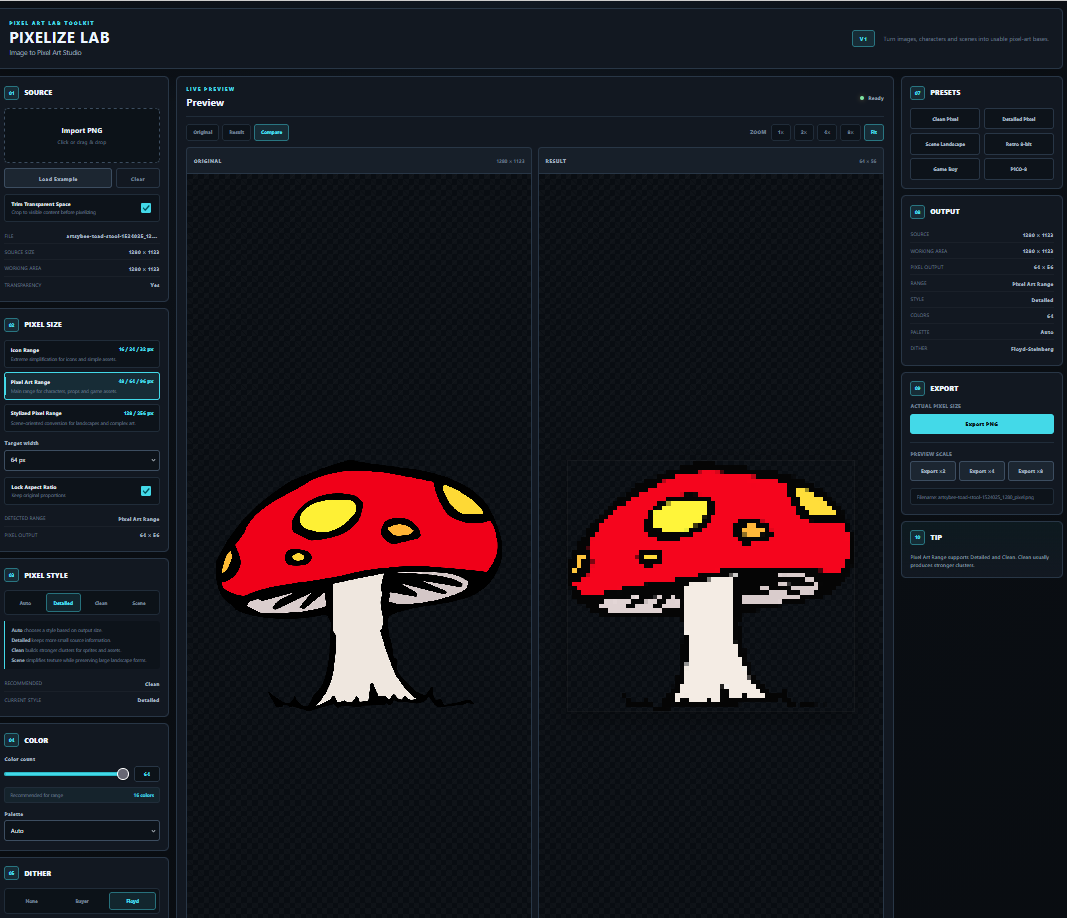
Import an image, choose your target resolution, adjust the style and palette, then export a ready-to-use PNG.
No installation. No account. No external upload. Everything runs locally in your browser.
Three resolution ranges
PIXELIZE LAB helps you choose a resolution based on what you are creating:
Icon Range — 16 / 24 / 32 px
Best for simple icons, small props and highly simplified assets.
Pixel Art Range — 48 / 64 / 96 px
The recommended range for characters, weapons, objects and game assets.
Stylized Pixel Range — 128 / 256 px
Keeps more detail for complex illustrations and larger pixel-art conversions.
Pixel styles
Auto
Automatically selects a suitable conversion method depending on your resolution.
Detailed
Keeps more small details from the source image.
Clean
Reduces photographic noise and creates stronger, more readable pixel clusters.
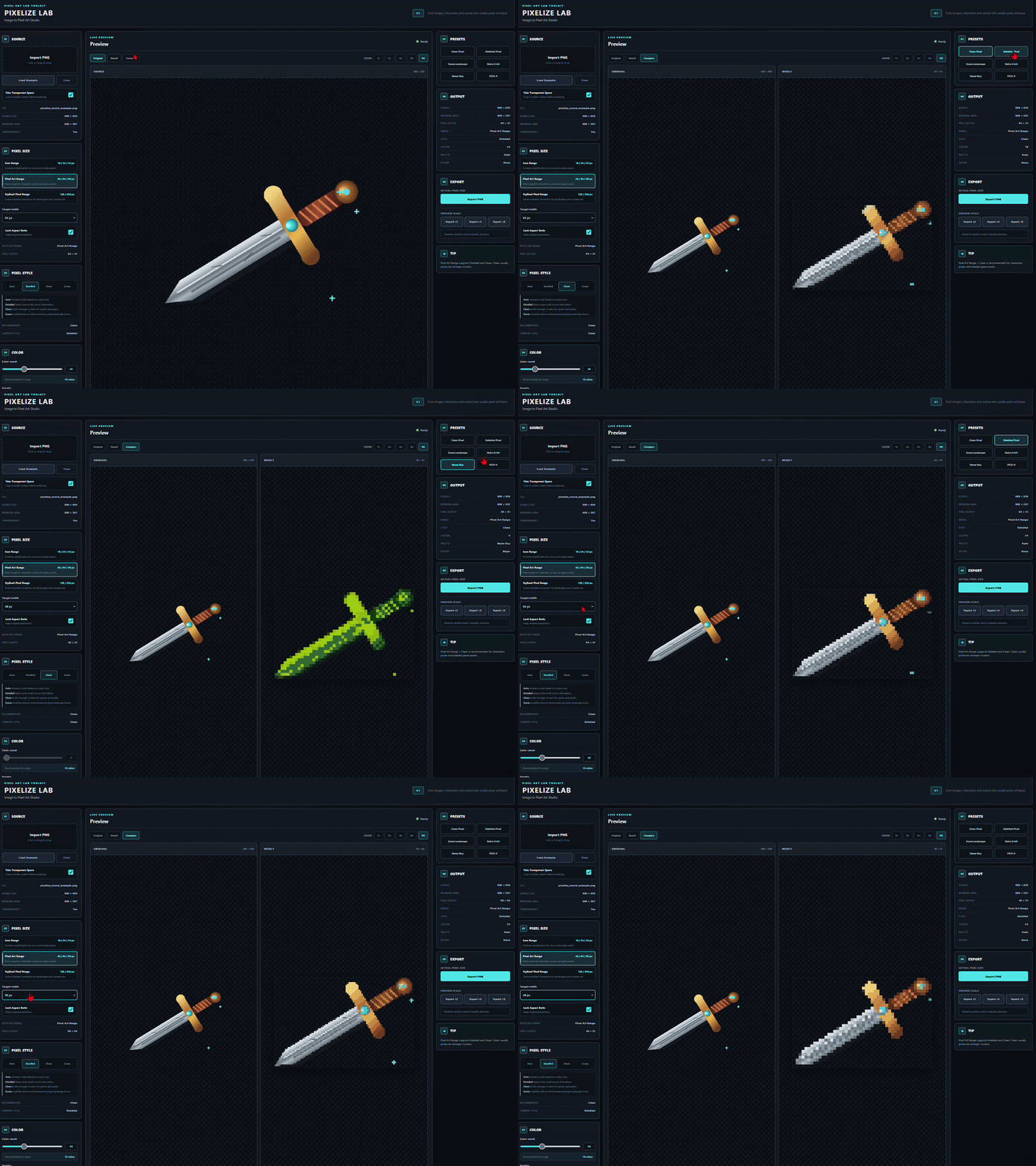
Scene
Experimental scene-oriented conversion for larger compositions and landscapes.
Color tools
Control the final look with:
- 2 to 64 colors
- Automatic palette generation
- Game Boy palette
- PICO-8 palette
- Retro palette
- Grayscale
- Monochrome
Dithering
Choose between:
- None
- Bayer
- Floyd-Steinberg
Image adjustments
Fine-tune your result with:
- Brightness
- Contrast
- Saturation
Smart workflow
PIXELIZE LAB also includes:
- PNG import
- Drag & drop
- Clipboard paste
- Automatic transparent-space trimming
- Aspect-ratio locking
- Original / Result / Compare views
- Pixel-perfect zoom
- Built-in presets
- PNG export at actual size
- ×2 / ×4 / ×8 nearest-neighbor export
Recommended workflow
For most game assets:
48–96 px + Auto or Clean + 16 colors
For more complex artwork:
128–256 px + Detailed + 32–48 colors
About Scene mode
Scene mode is included in this first release as an experimental option for larger compositions and landscapes.
We are actively exploring improvements for PIXELIZE LAB V2, especially for complex scenes, environments and landscape conversion.
If you test the tool and have ideas, examples or suggestions, feel free to leave a comment. Feedback will directly help shape future versions.
Requirements
- Modern desktop browser
- PNG input
- Maximum source image size: 2048 × 2048 px
Version
PIXELIZE LAB V1
Built as part of the Pixel Art Lab Toolkit.
Purchase
In order to download this tool you must purchase it at or above the minimum price of $1.99 USD. You will get access to the following files:
Leave a comment
Log in with itch.io to leave a comment.