TD Path & Placement Lab
A downloadable tool
PointClair TD Path & Placement Lab is Tool #03 in the KAPITOLE Dev Toolkit — a series of standalone game-development tools we are building while creating a complete Tower Defense game from scratch.
The principle behind the project is simple:
We build the tools. Then we use those same tools to build the game.
Path & Placement Lab answers one specific question:
Where does the gameplay happen?
It lets you design the spatial structure of a Tower Defense level using real project data instead of mockups.
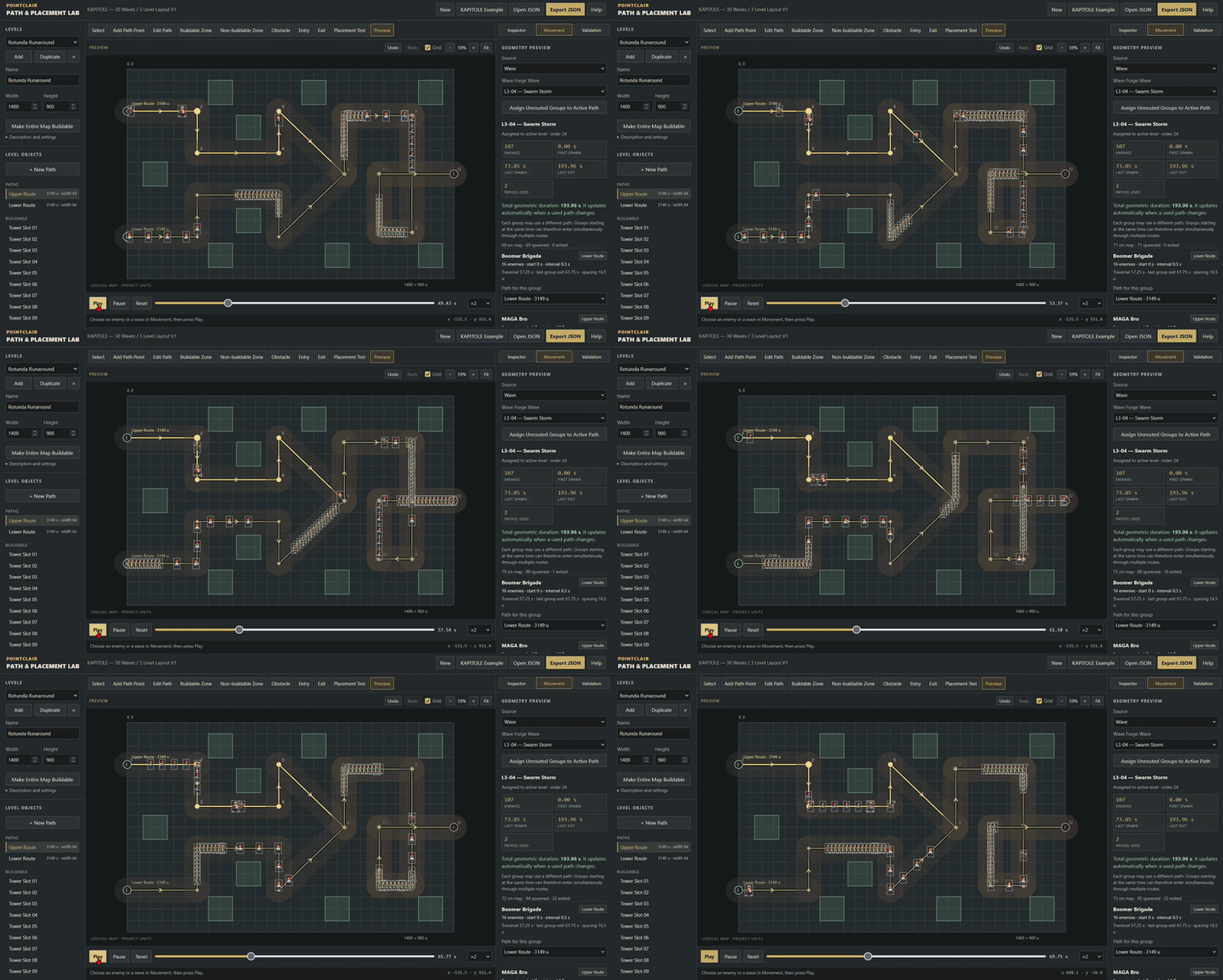
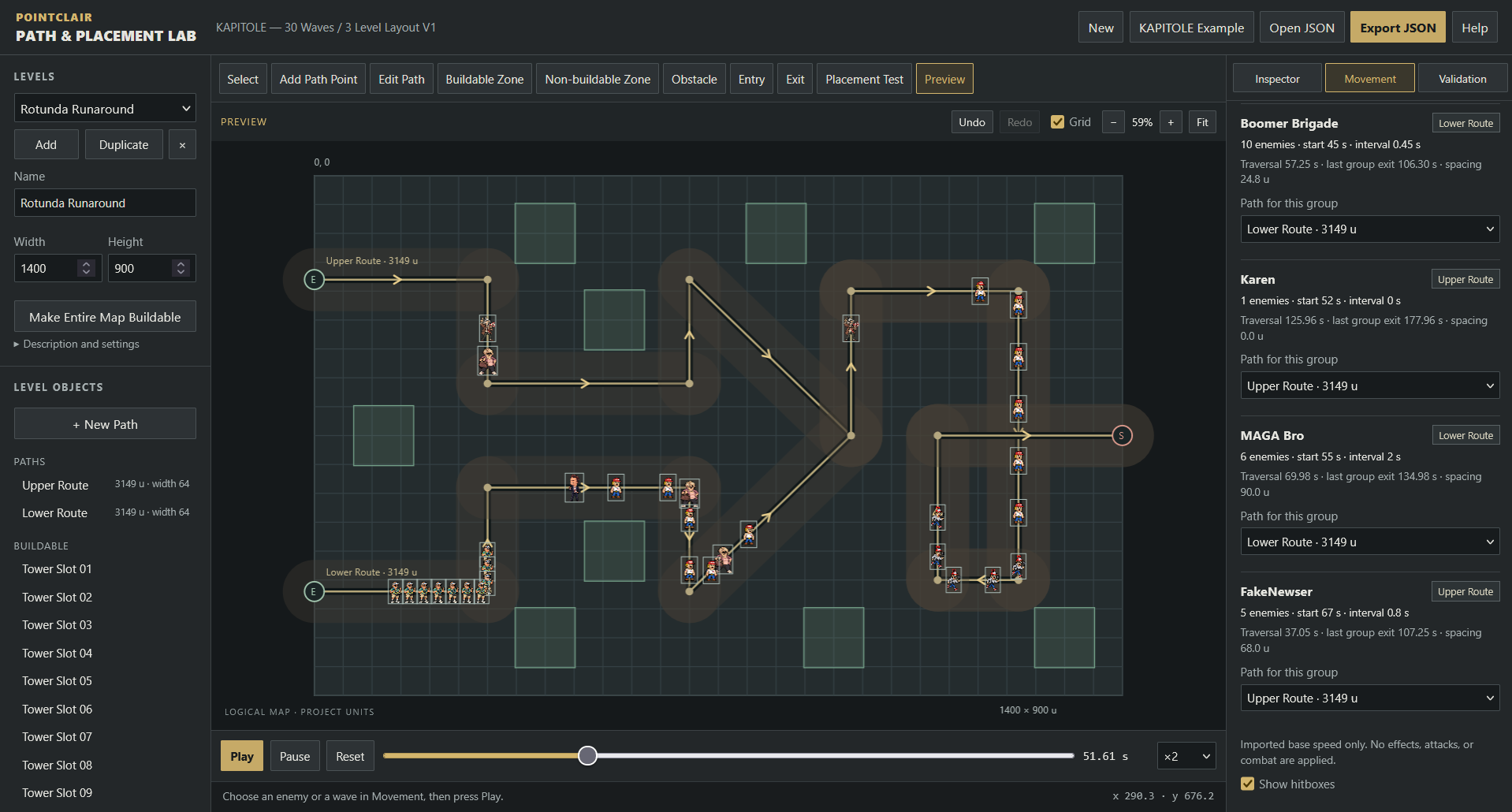
Create multiple levels, draw enemy routes, define entrances and exits, create fixed tower placement areas, assign wave groups to different paths and preview enemy movement using the actual speeds and timings defined elsewhere in your project.
WHAT YOU CAN DO
- Create multiple Tower Defense levels
- Draw and edit enemy paths
- Use multiple entrances and routes
- Merge paths at any point in the level
- Define path width and reserve roads from tower construction
- Create fixed tower placement areas
- Validate tower footprints using real tower dimensions
- Preview individual enemies moving at their real speed
- Preview complete Wave Forge waves
- Route different groups through different paths simultaneously
- See first spawn, last spawn and final exit times
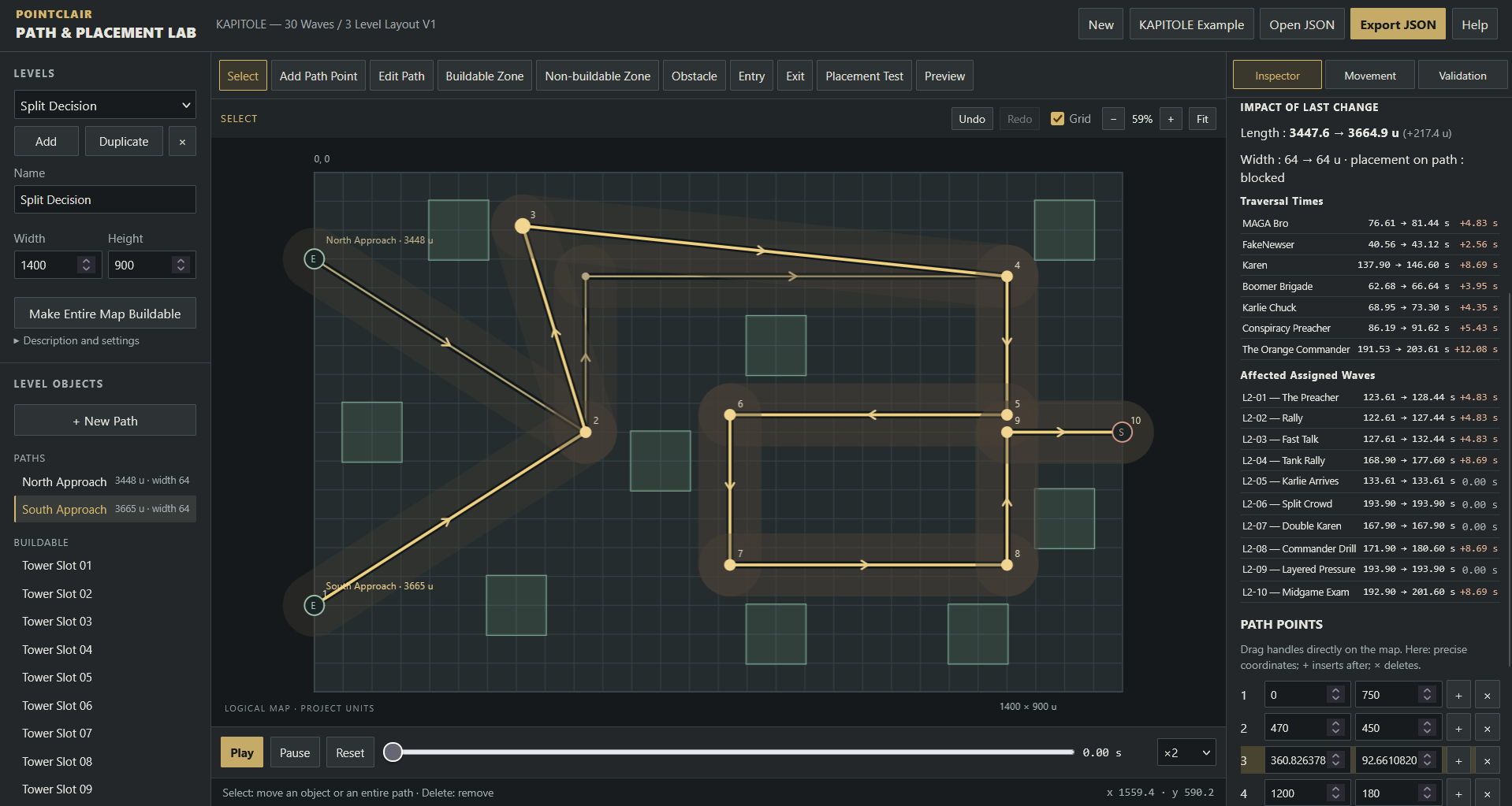
- Measure path length and traversal time
- See how editing a path changes enemy and wave timing
- Import and export complete POINTCLAIR TD PROJECT files
- Preserve towers, enemies, upgrades, assets and unrelated project data
Path & Placement Lab deliberately does not simulate combat.
Its role is to define the map and movement layer cleanly before combat, economy and difficulty simulation are added later in the toolkit.
BUILT AS PART OF A REAL GAME
This is not an isolated prototype.
We are currently using the toolkit to build KAPITOLE, our own Tower Defense project.
The same towers, enemies, waves, PNG assets and level data used to test the tools are progressively becoming the actual game.
Our current workflow is:
TD Stat Lab → Wave Forge → Path & Placement Lab → Combat Simulator → Economy → Difficulty Simulation → Runtime
That means each new tool has to work with the previous ones instead of existing in isolation.
USE IT WITH TD STAT LAB
Define towers, enemies, upgrades, footprints, speeds and gameplay statistics first with:
Path & Placement Lab reads those real dimensions and movement values directly from the shared project file.
USE IT WITH WAVE FORGE
Build the actual enemy composition and timing of your waves with:
Then open the same project in Path & Placement Lab to assign those groups to routes and preview how the wave travels through your level.
Both tools support the shared POINTCLAIR TD PROJECT format.
OUR VISUAL PIPELINE
The KAPITOLE visuals shown throughout the project are also produced through our own pixel-art workflow.
We are building the game assets alongside the development tools instead of relying on disconnected placeholder art.
You can also explore our pixel-art tools here:
Pixel Light Lab — Pixel Art Normal Map & Live Lighting Studio
The long-term goal is to progressively connect more of the production chain: game systems, balancing, level design and visual production.
PROJECT FORMAT
Path & Placement Lab supports POINTCLAIR TD PROJECT V1 and V2.
A project can move between compatible PointClair TD tools without stripping the sections that another tool owns.
That means you can progressively build one real project instead of constantly recreating data between separate applications.
LOCAL AND SIMPLE
- Runs directly in your browser
- No installation
- No account
- No server required
- No internet connection required after download
- Your project stays in your own files
Extract the ZIP and open index.html.
For best results, use a recent desktop version of Chrome, Edge or Firefox.
THIS IS TOOL #03
The KAPITOLE Dev Toolkit is being built step by step.
Already available:
#01 — TD Stat Lab
Towers, enemies, upgrades, effects and core statistics.
#02 — TD Wave Forge
Wave composition, spawn timing and sequencing.
#03 — TD Path & Placement Lab
Maps, paths, entrances, tower areas and movement preview.
Next:
#04 — TD Combat Simulator
That is where the systems created so far will finally meet in a real combat simulation.
Feedback is welcome. The tools are actively evolving while we use them to build the game itself.
Purchase
In order to download this tool you must purchase it at or above the minimum price of $1.99 USD. You will get access to the following files:
Leave a comment
Log in with itch.io to leave a comment.